Using the TacServe Modem Pool Server
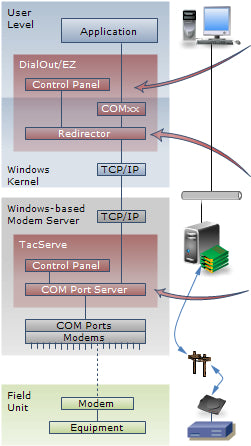
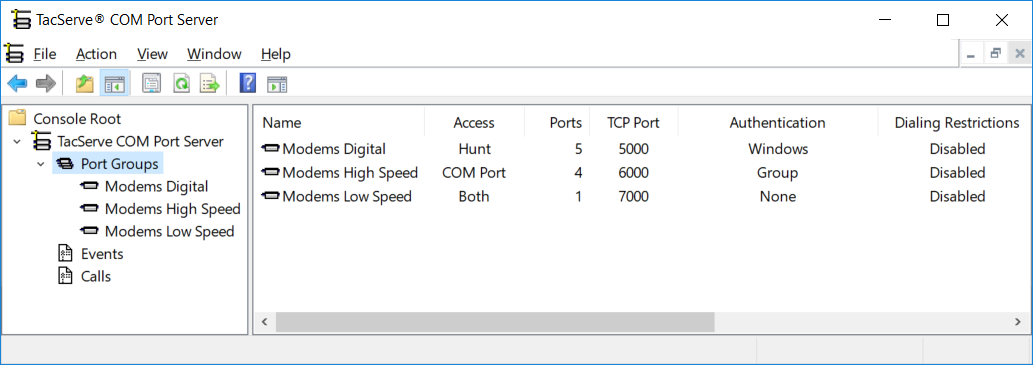
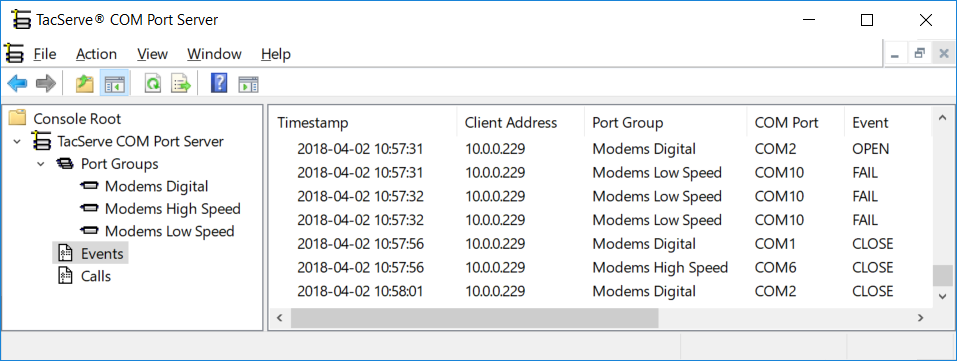
In the TacServe Tool on the server computer:
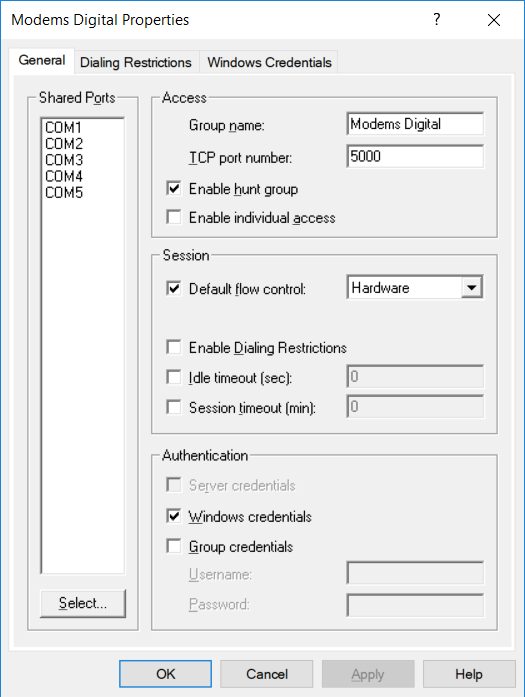
- Create a Port Group that will provide one or more modems on demand at a TCP port number you choose
- Select local COM ports to join this Port Group
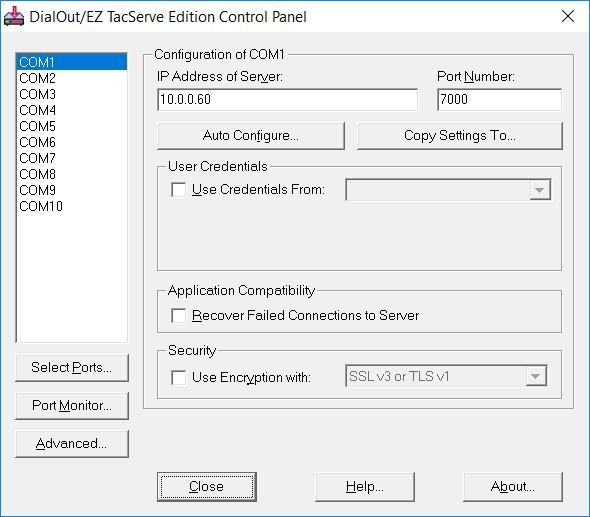
In the DialOut/EZ Control Panel on each client PC:
- Choose the COM port numbers for virtual COM ports
- Configure each virtual COM port to the IP address of the modem pool server and TCP port number of the Port Group
- Use Auto Configure to verify modem pool connectivity
In your application:
- Open any DialOut/EZ virtual COM port to access a modem in the TacServe Port Group
- Read/write serial data, as with a local modem
- Close the virtual COM port to release the modem back to the TacServe Port Group
For more, see the TacServe Quick Start Guide.
Is the 30-day trial software a full version of TacServe?
Yes, for up to 256 active ports. Download and run the TacServe installer and leave the license key blank to begin the trial period.
Can I create a modem pool with more modems than I use at one time?
Yes. Your TacServe license key controls only the number of modems that are simultaneously active by being connected to a DialOut/EZ virtual COM port.