Using the Serial/IP Redirector
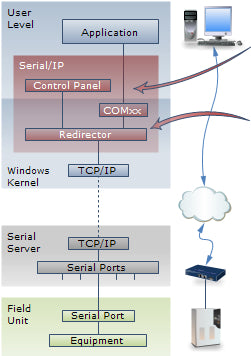
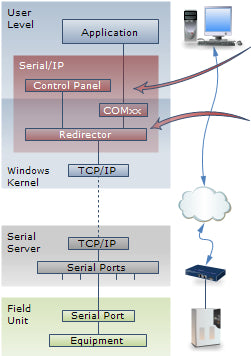
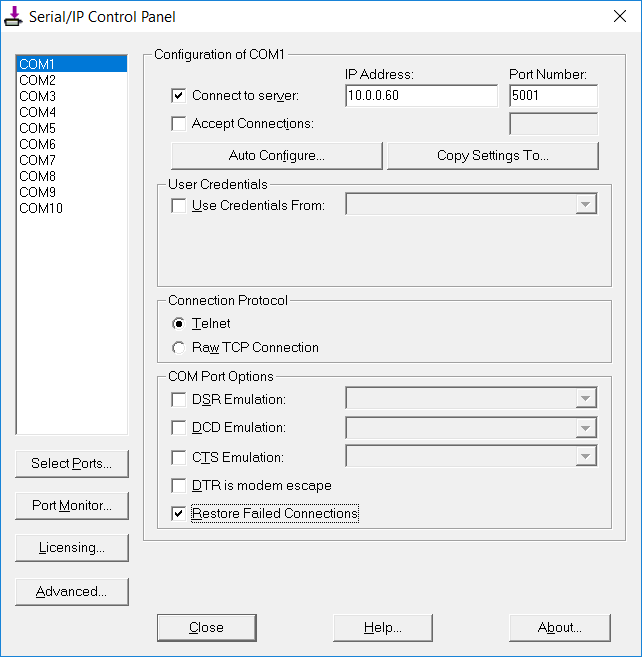
In the Serial/IP Control Panel:
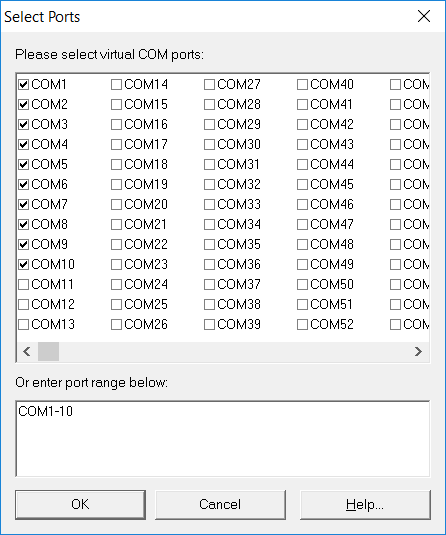
- Designate up to 4096 ports as virtual COM ports
- Set the endpoint IP address TCP port number for each COM port
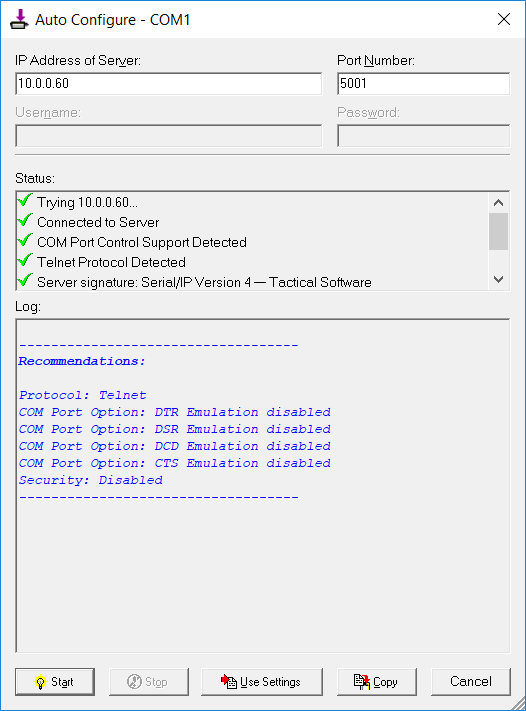
- Use Auto Configure to verify endpoint connectivity and recommended port settings
In your application:
- Open any virtual COM port to open connection to endpoint
- Read/write serial data, same as with a real COM port
- Close the virtual COM port to terminate connection to endpoint
For more, see the Serial/IP Quick Start Guide.
Is the 30-day trial software a full version of Serial/IP?
Yes, for up to 256 active ports. Download and run the Serial/IP virtual serial port installer, leaving the license key blank to begin the trial period.
Can I create more virtual serial ports than I use at one time?
Yes, you can create and configure up to 4,096 virtual COM ports. Your Serial/IP license key controls only the number of simultaneously active (open) virtual ports.
How can I tell if I should be using the COM/IP redirector instead?
If your application uses AT commands to make modem connections, use COM/IP to connect to TCP/IP endpoints or use DialOut/EZ to access a modem pool to call modem endpoints.